Apple Pay
This section provides step-by-step guide showing how to setup and use Apple Pay for payments.
Setup
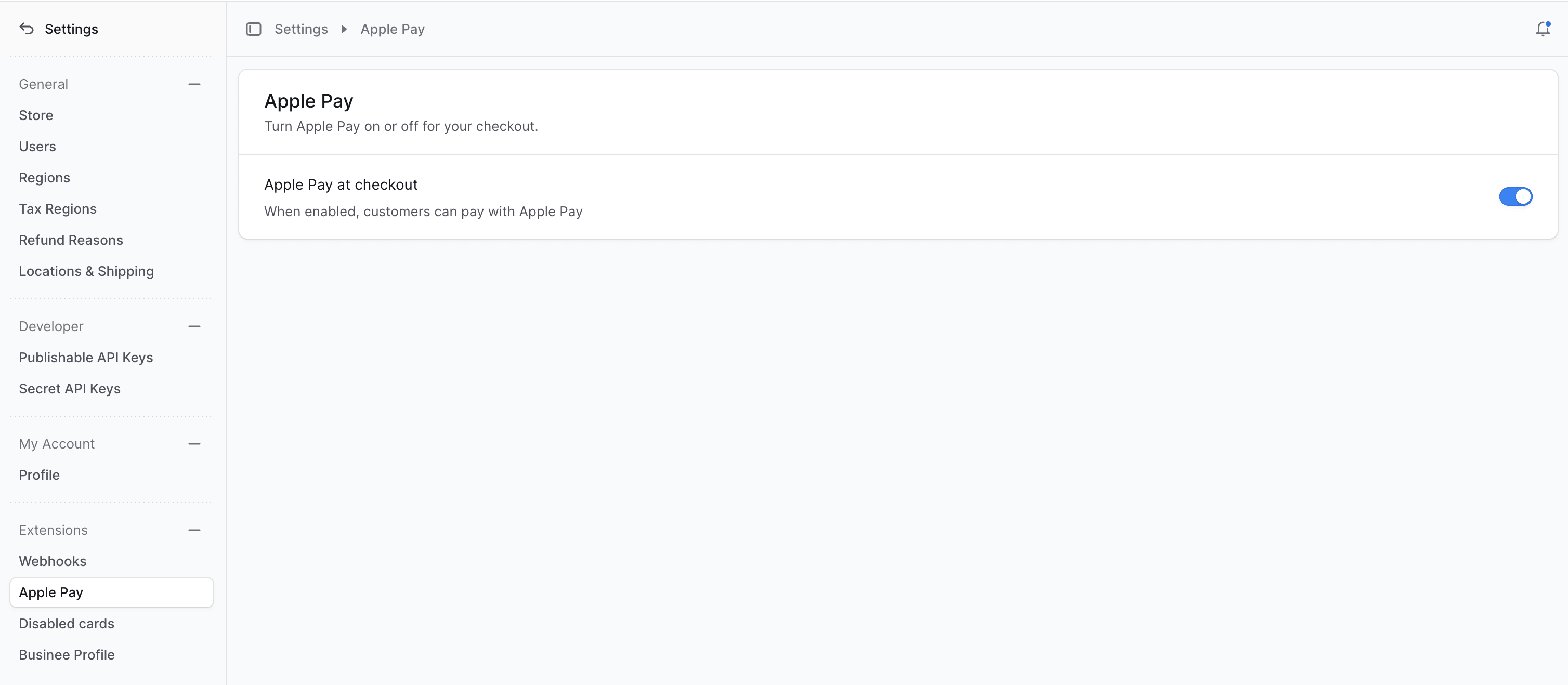
To enable Apple Pay, you need to go to your ChargX Dashboard and enable Apple Pay in the Store settings:
Payment Form
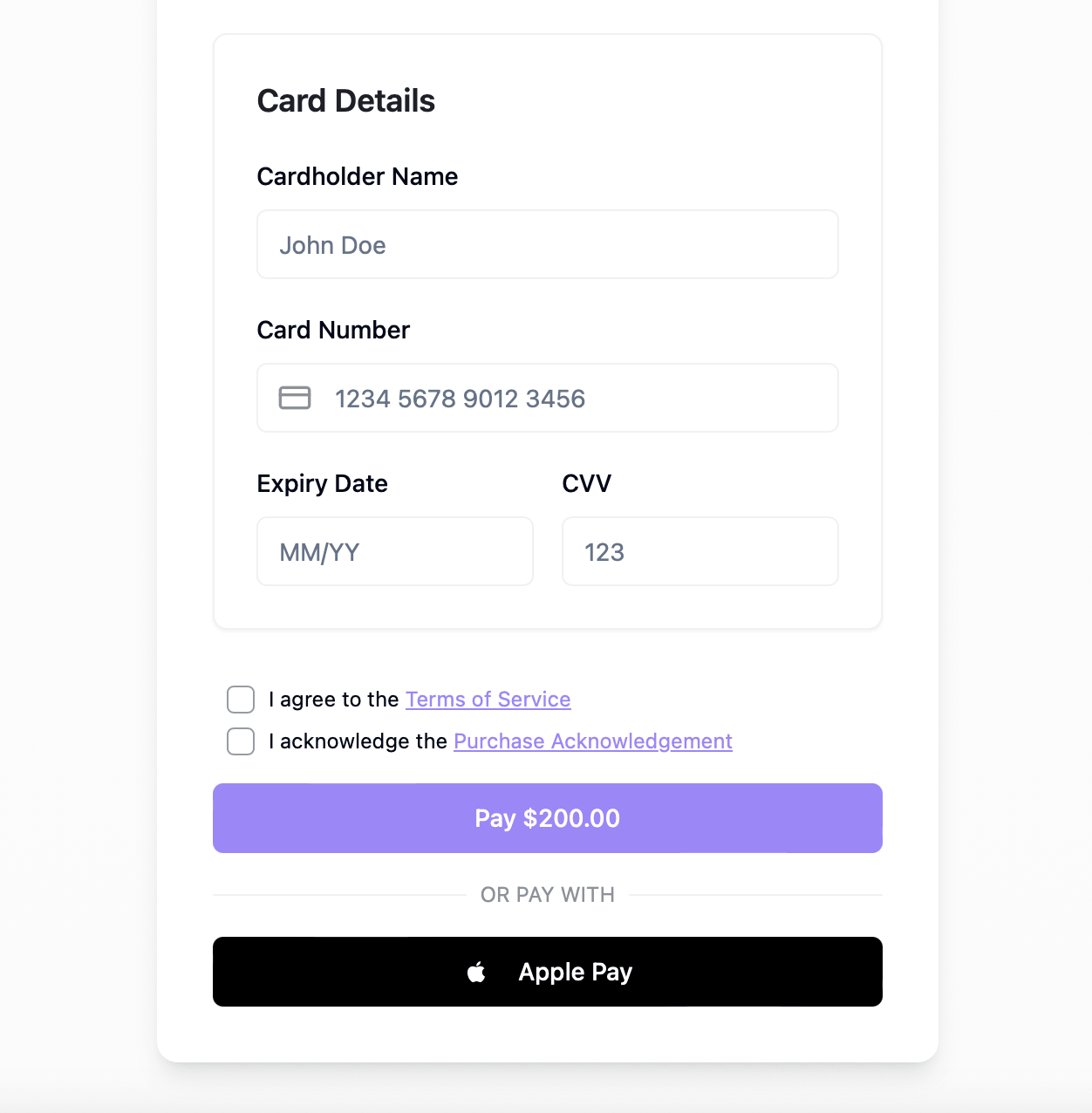
Once enabled, you should be able to see the Apple Pay button in the payment form when open on Apple devices / browsers:
Testing
For testing Apple Pay payments follow Apple Pay - Sandbox Testing guide.