Create Product
How to create Product for recurring payments
If you need to deal with recurring payments, go to Dashboard, Products and create a product along with its variants, which will represent your subscription plans.
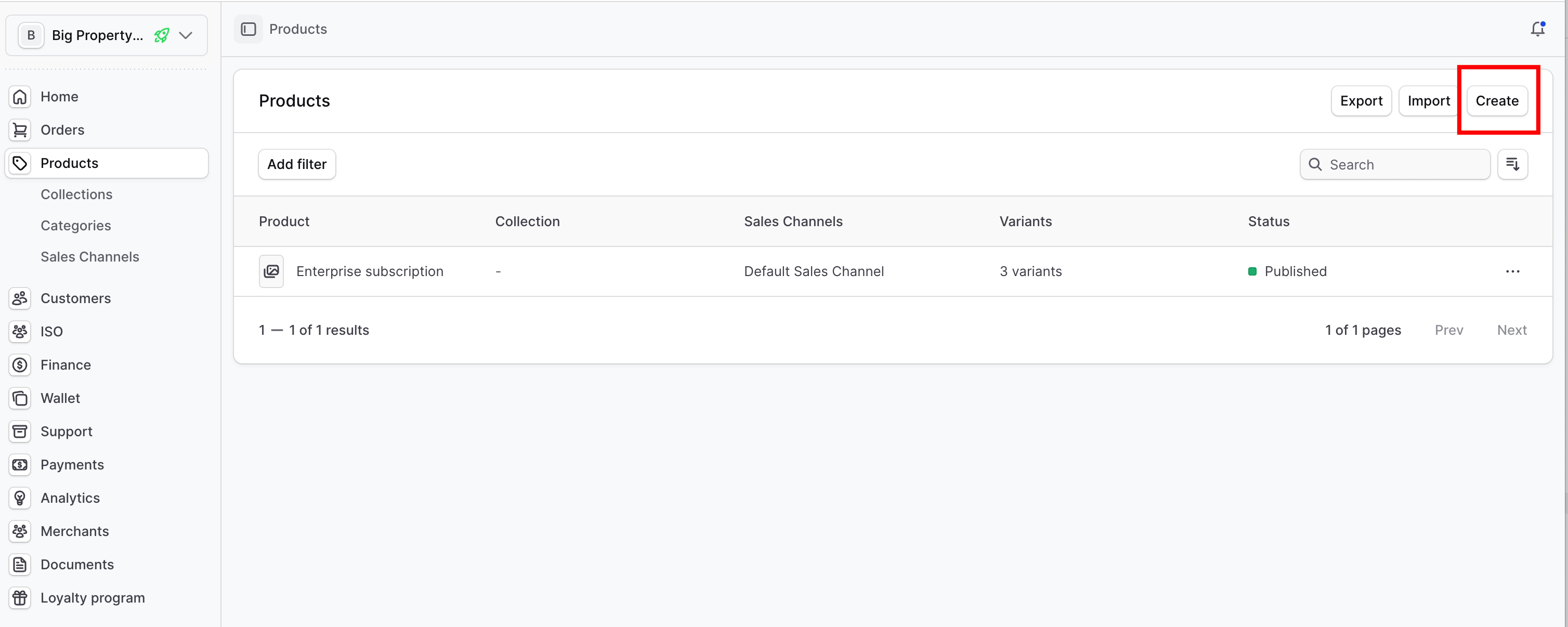
Click on Create button:
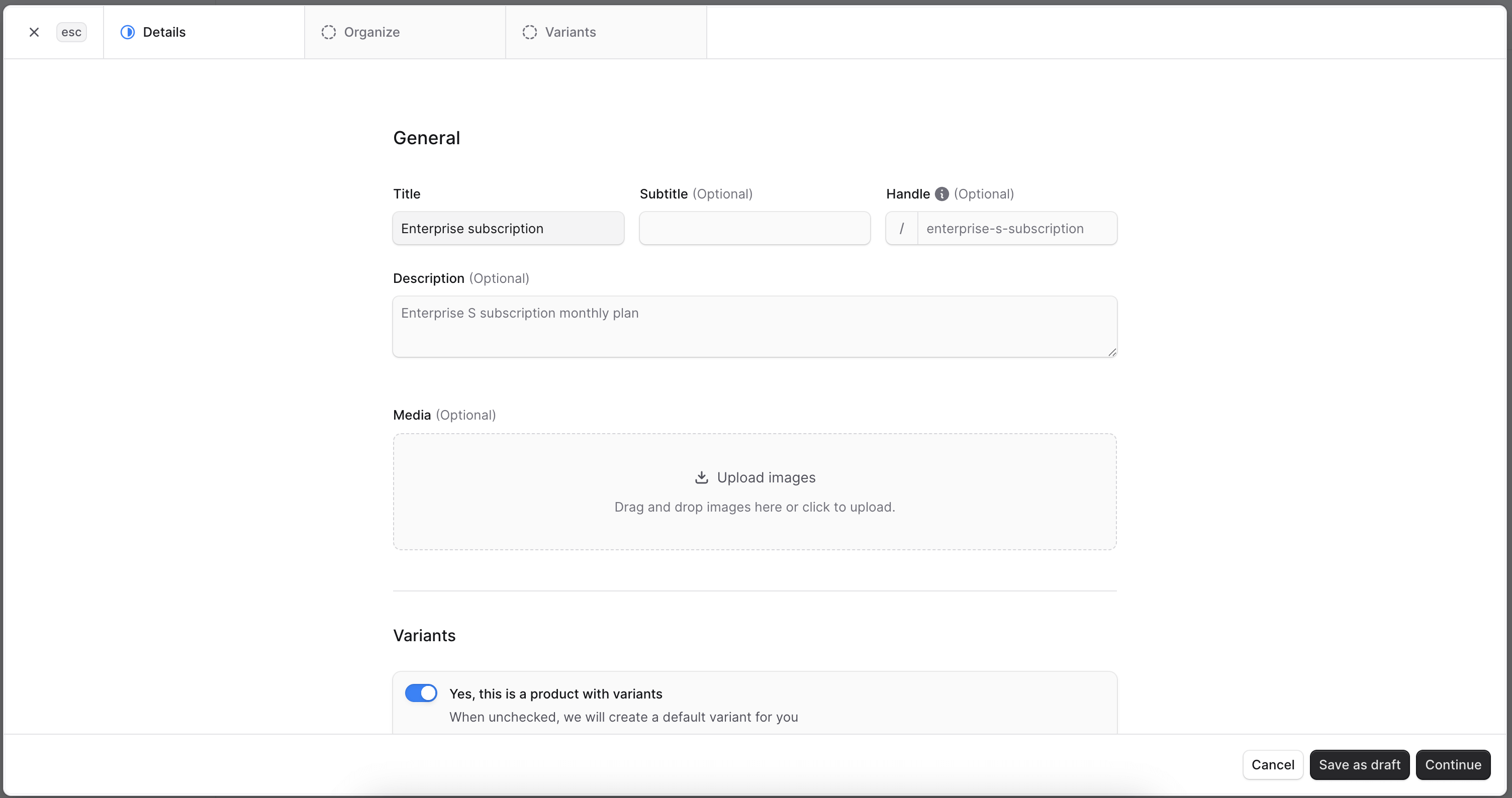
Fill in product title:
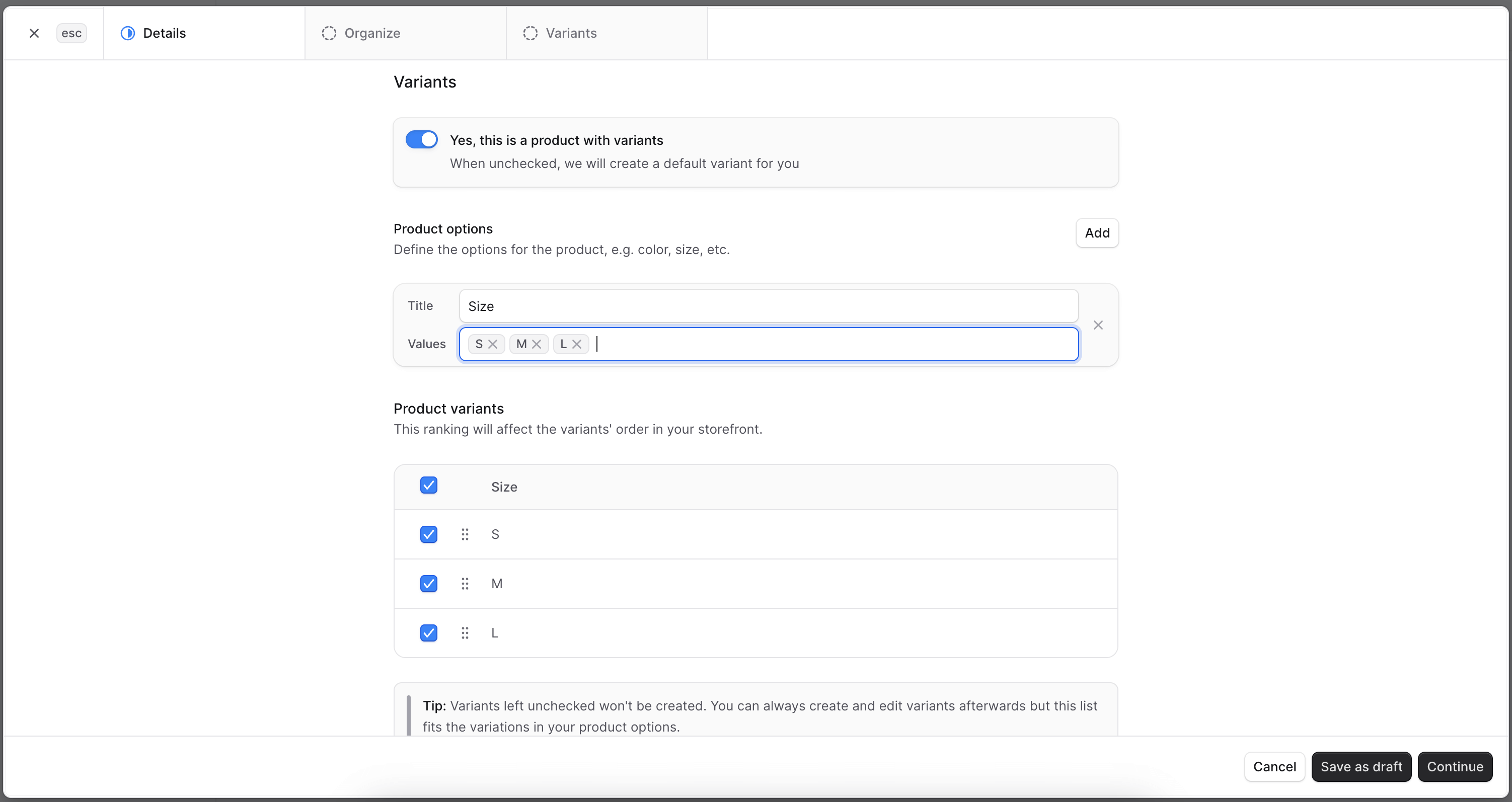
Fill in product variants:
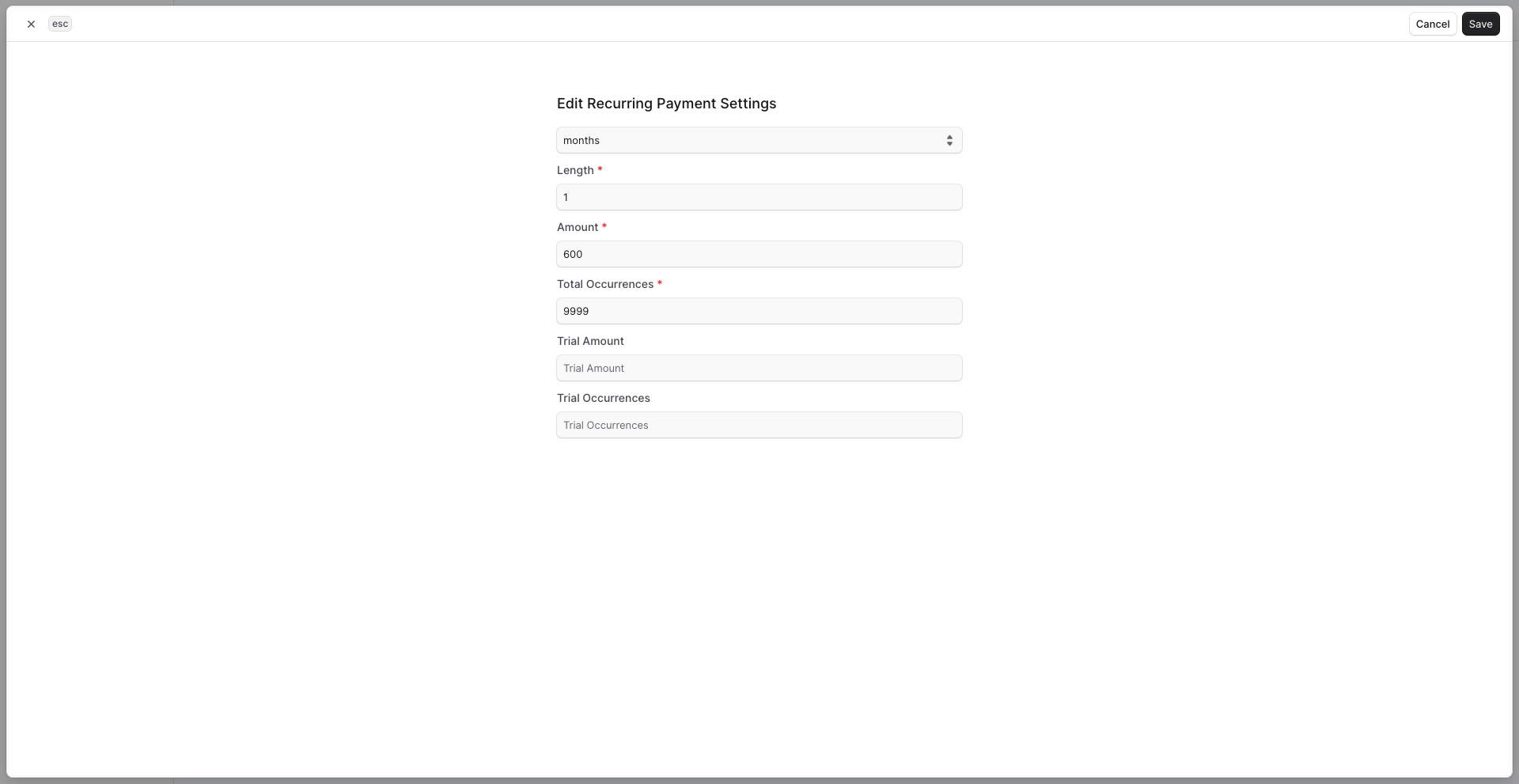
Fill options for recurring payments in Variant metadata:
| Field | Description | Format |
|---|---|---|
| length | Required. The measurement of time, in association with the unit, that defines the frequency of billing occurrences. For a unit of days, use an integer between 7 and 365 (inclusive). For a unit of months, use an integer between 1 and 12 (inclusive). | Numeric string, up to 3 digits. |
| unit | Required. The unit of time, in association with the length, between each billing occurrence. | String. Either days or months. |
| total_occurrences | Required. Number of payments for the subscription. If a trial period is specified, this value should include the trial payment count. To create an ongoing subscription with no end date, set this value to "9999". | Numeric string, up to 4 digits. |
| trial_occurrences | Number of payments in the trial period. If a trial period is specified, the value should also be included in totalOccurrences. | Numeric string, up to 2 digits. |
| amount | Required. Amount charged after the trial period. This must be the total amount including tax, shipping, tips, and other fees. Do not include currency symbols. Example: 8.95. | Decimal, up to 15 digits with a decimal point. |
| trial_amount | Conditional. Amount to be billed for each payment during the trial period. Required if trialOccurrences is used. During the trial period, trialAmount is billed; after it ends, amount is billed for subsequent payments. | Decimal, up to 15 digits with a decimal point. Do not use currency symbols. Example: 8.95. |
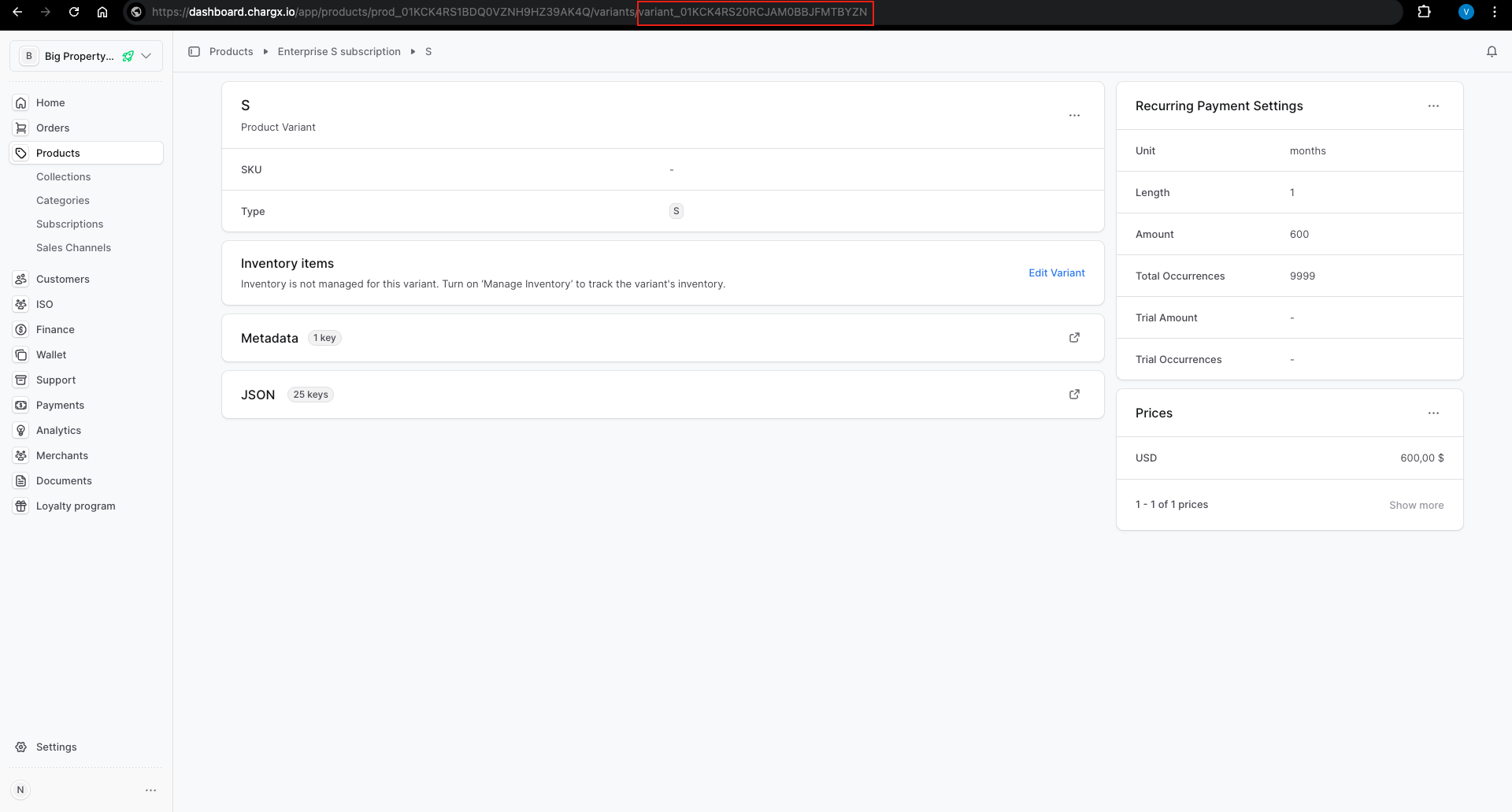
Once it's done, open your product, open one of its variants and copy its ID. You will need it to create subscriptions via API.